Reusing a brief
The point of a brief is that you write a world once and use it on everything set in that world. This page is how, and, more importantly, what that does and does not mean.
The rule underneath all of it
Section titled “The rule underneath all of it”A project uses a brief; it does not own a copy of one. Attach points the project at the brief. From then on the project reads the brief as it is, and as it changes.
So the mental model people arrive with (“the project uses my brief”) is exactly right. Edit the brief and every project using it moves with it. The brief page says how far an edit reaches before you make one: Used by 3 projects. Changes here reach all of them.
The corollary is the thing to internalise: an edit is not local. If you want a change for one project only, you do not edit the shared brief. You clone it and attach the clone there.
Attach: a project starts using a brief
Section titled “Attach: a project starts using a brief”Three places to do it:
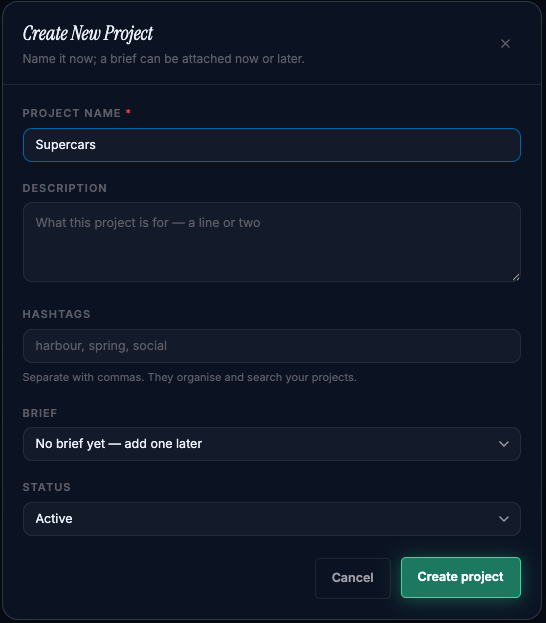
At project creation. The new-project dialog has a Brief option: no brief, a new brief for this project, or one of your existing briefs.
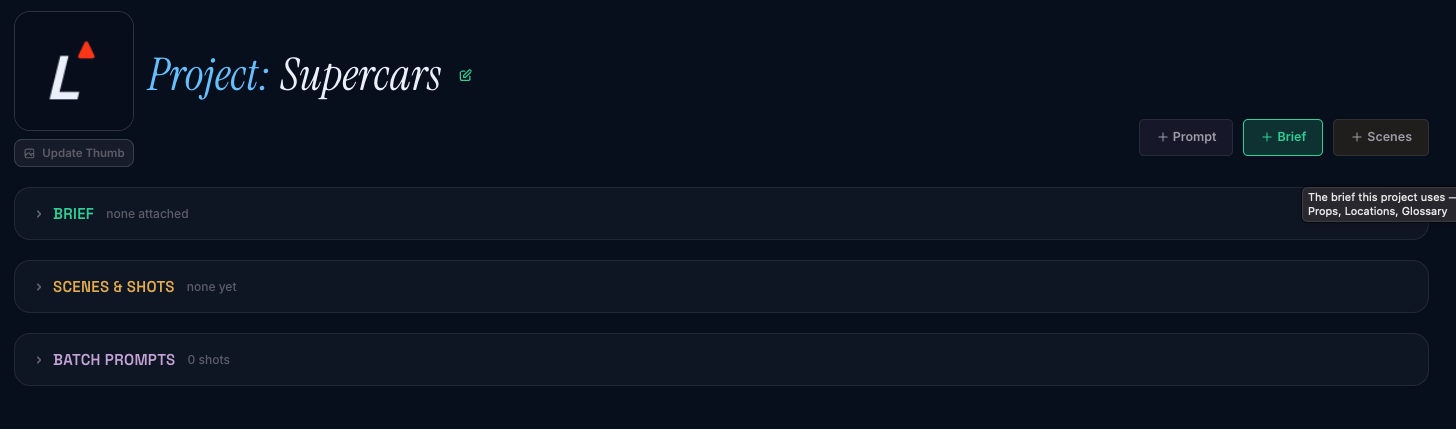
From the project. A project with no brief shows Create or attach a brief on its Brief card; the page it opens offers the three ways to start a new one, and a picker for one you already have. A project that already has a brief shows Change or detach… on the card, which opens the same page.
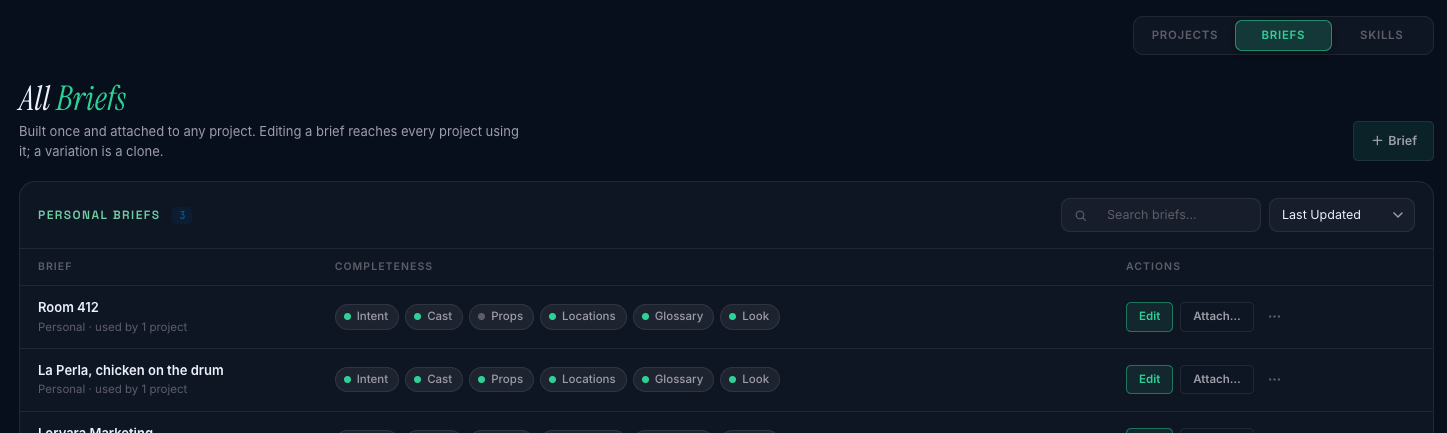
From your Briefs page, with Attach… on any brief, then pick the project.
Nothing is copied. The brief is not moved, emptied or altered by being attached; its reference pictures stay exactly where they are and are read from there.
Attaching to a project that already uses a brief simply switches it. The project points at the new brief; the previous one is still on your Briefs page, untouched, and can be attached again at any time. The brief page says so once when you arrive (Harbour Spot now composes from this brief. Series bible is still in your Briefs — nothing was deleted, and its other projects are unchanged) and then not again, because nothing is lost.
Detach: a project stops using a brief
Section titled “Detach: a project stops using a brief”Change or detach… on the project’s Brief card, then Detach. The project goes back to having no brief, which is a normal state; the brief itself is untouched and still listed.
You will need this before you can delete a brief a project is using. See Housekeeping.
Clone: a variation of your own
Section titled “Clone: a variation of your own”Clone makes a new brief from an existing one: a full, independent copy under a new name, owned by you, with its own copies of every reference picture. It is the only operation that copies anything, and it is the whole answer to “I need a version of this that differs a little.”
Use it when a project needs exceptions (this client’s version of the house style, this shoot’s extra location) and those exceptions must not reach the projects that share the original. Clone, edit the clone, attach the clone there. The original and everything using it stay as they were.
Clone is also how you take your own copy of a teammate’s shared brief, which you can read and attach but not edit. See Teams.
What a clone carries
Section titled “What a clone carries”| In the clone | |
|---|---|
| The six confirmed blocks | Yes |
| Reference pictures | Yes: new copies, under the clone |
| Unconfirmed drafts | No |
| The projects using the original | No. The clone is independent until you attach it |
| Any link back to the original | No |
Drafts not copying is deliberate. A draft is unreviewed content in the middle of somebody’s review; carrying it into a second brief would spread something nobody has read yet. Confirm what you want to keep before you clone.
The two things that surprise people
Section titled “The two things that surprise people”Editing a brief changes every project using it. This is what you want when the change is a correction (a pronunciation, a costume detail, a location’s anchor) and exactly what you do not want when the change is one project’s exception. The brief page’s reach line exists so you know which case you are in before you type. When in doubt, clone.
A project’s brief may not be yours. On a team, a project can use a brief a teammate owns. You can read it and your prompts compose against it, and its owner and every full seat on the team can edit it, without telling you. If that is not acceptable for a given project, clone the brief and attach your clone; the clone is yours and moves only when you move it. Teams has the detail.
Housekeeping
Section titled “Housekeeping”Deleting a brief is refused while any project uses it. The refusal names the projects you can detach it from, and says how many belong to a teammate (who can detach it from theirs). Detach, then delete. Once deleted, the brief’s reference pictures stay in storage, so any prompt that already landed against one still shows it.
Deleting a project never deletes its brief. The brief is still on your Briefs page, still usable by every other project.
Renaming is the brief’s name everywhere it is used, because there is one brief.