References
Describing a face in words gets you a face. Attaching one gets you that face. References are how a prompt stops being a description and starts being about something specific.
Two different questions
Section titled “Two different questions”Everything on this page follows from keeping these apart:
- What the picture IS — its role: a style, a character, an object, an environment, or a custom element. You choose this, and it does not depend on the model.
- What the MODEL OFFERS — the places it will accept a picture into. Some models take a single list of references; some have their own named list; the frames are their own thing; Midjourney uses parameters instead.
The Refs panel shows what the model you are pointed at offers, so switching models changes the panel. Your picture keeps its role while it moves.
Naming a picture, and @name
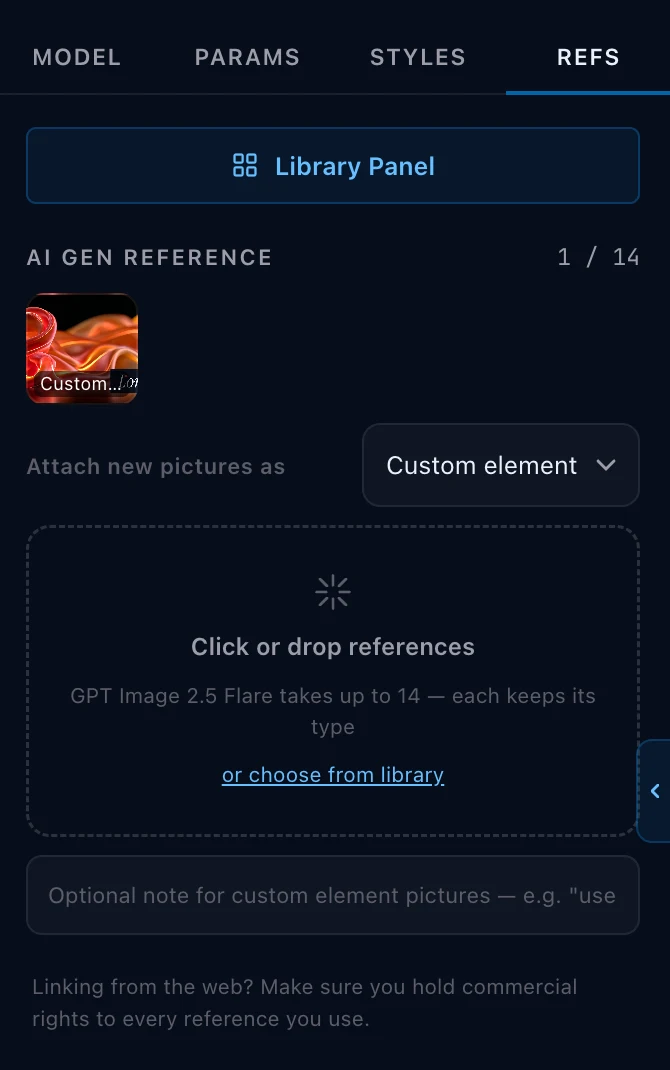
Section titled “Naming a picture, and @name”This is the part worth learning. Give a reference a name under its thumbnail
(whatever you would call it), then type @ and that name in your prompt.
- You write
@sova-ren. The model is sent@Image2, because that is where the picture was sent. Same picture, addressed twice. - The name is yours; the token is the model’s. You never have to know which token a model wants, and you never have to renumber anything by hand.
- A picture that arrived from your brief is already named: it answers to the entity’s name. A named plate answers to both its own name and its location’s.
- When a shot brings two pictures of one character, the first answers to the
character’s name (
@anna) and the second to the name the shot gave it (@anna.child.face), so each is addressed at its own position. - A
@that matches nothing is left exactly as you typed it.
Do not type a model’s own token yourself (@Image2, @Element1). Those are
written at send time from what is actually sent; one you typed by hand is passed
through untouched and will point at whatever happens to be in that position.
When the prompt does not mention a picture
Section titled “When the prompt does not mention a picture”An attached picture is sent to the model whether or not your prompt mentions it. A prompt that never names it hands the model an image with no instruction about it: nothing says whose face it is, or where in the shot it belongs.
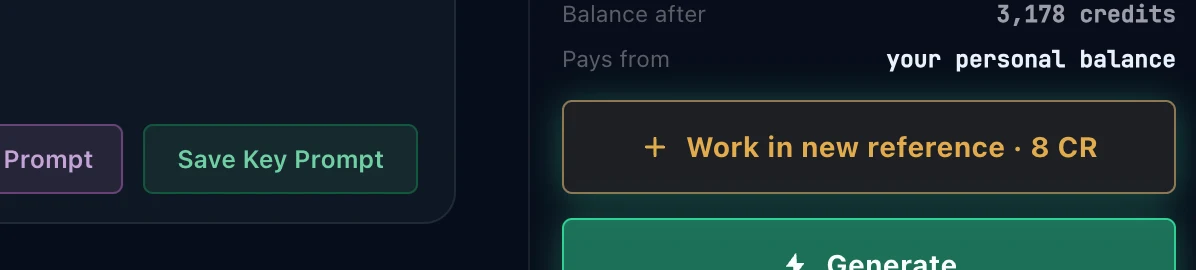
The Studio notices. When a named picture is attached and nothing in the prompt points at it, a button appears above Generate: Work in new reference · 8 CR. The button counts, so Work in 3 references means three attached pictures are named nowhere in the text.
Press it and the Prompt Agent opens with the request already written: work this picture into the words that are there. That is one agent turn, and it costs 8 credits.
It edits the prompt you have. Recompose does not. Recompose rebuilds the whole prompt from the brief, so anything you changed by hand is gone. Work in new reference keeps your wording and gives the picture a job inside it. If you have edited the prompt, this is the one you want.
The other way out costs nothing: type @ and the picture’s name yourself,
and the button goes away.
A picture with no name is never offered, because there is nothing to call it by. Name it under its thumbnail first.
Position is identity
Section titled “Position is identity”For the models that take a list of references, the position a picture is sent
at is its identity, not the name in your prose. Measured over ten generations
(LORVARA_MODELS.md §10.10): with the images swapped, the output followed the
position 6 times out of 6.
That is why the prompt states the order it does, and why attaching a picture can renumber the ones already there. When that happens to a prompt you have already written, Lorvara says so and offers to renumber the text for you.
The ones a model asks for by name
Section titled “The ones a model asks for by name”Some video models want the reference mentioned in the prompt text, so the model knows where in the shot it belongs. These are the tokens those models read, not the tokens you type.
You write the picture’s name. A stored prompt names a picture by what it is
(@ivo-renk, @the-mast), and the model’s own token is written when the
request is sent, from the list the request actually carries. That is why the
@ picker in the composer offers names, and why the same prompt opens on another
model without an edit. Lorvara checks the result before sending.
| Model family | Token |
|---|---|
| Kling O1 elements | @Element1, @Element2, … |
| Kling 3.0 multi-shot | @Element1, @Element2, … (shot elements, not reference images: Kling 3.0 takes no character reference images) |
| Grok references | @Image1, @Image2, … |
| Seedance references | @Image1, @Image2, … |
The ceiling for each is the model’s, read from the register at the moment you attach, so it follows a model’s own changes rather than a number written here.
How references can fail and how to recover
Section titled “How references can fail and how to recover”It’s important to understand that prompts with the same token behave differently for each model when the prompt names a picture that is not there, which is worth knowing before you hand-edit a prompt:
- Grok refuses it. A token pointing past what the request carries is rejected before anything is reserved, so you are not charged, and you get told.
- Seedance accepts it. The generation runs and is billed, with the token pointing at nothing.
Lorvara does not let this happen quietly on either: when a prompt’s stated positions stop matching what will be sent, it says which picture moved and offers to fix the text. That’s where the Prompt Agent is your best friend because it will rewrite the prompt based on the model you have selected.
Where a model reads nothing at all
Section titled “Where a model reads nothing at all”Image models read a picture and a position, never a label, so there is nothing to type and nothing to remember. Lorvara describes each reference and its position in the text it sends instead.
Frames
Section titled “Frames”Start frame and end frame take one image each. They are not references in the same sense: they are the first and last picture of the clip, and the model generates the motion between them.
They belong to the shot rather than to the world, which is why a clone does not inherit them.
Midjourney’s references
Section titled “Midjourney’s references”Midjourney addresses a reference with a parameter rather than a token, and its limits are Midjourney’s, fixed by the platform:
| Place | Flag | Takes |
|---|---|---|
| Style Reference | --sref |
up to four |
| Character Ref | --cref |
up to four |
| Omni Reference | --oref |
one |
| Image Prompt | --iw |
up to four |
These only appear when you are pointed at Midjourney. They do not travel when you copy the prompt out to another platform. No other model can read them.
Which of them you get depends on the version you are on: the Midjourney versions do not all offer the same ones, and Lorvara offers Character Ref where Omni Reference is unavailable. See Midjourney parameters.
Where references come from
Section titled “Where references come from”Pick, do not re-upload. Anything already in your Library can be attached without uploading it again, and in the Workspace a connected prompt’s library is available too.
One picture, one place at a time. If a picture is already attached somewhere in this prompt, attaching it again is refused and Lorvara names where it already is. Move it if you want it elsewhere. The same picture can of course be a style reference in one prompt and a character in another; nothing is consumed by being used.
What to read next
Section titled “What to read next”- The Library — where references live, and what it accepts.
- The Studio — attaching them, and the
@picker. - The Workspace — sharing a library between connected prompts.
- Midjourney parameters — the rest of the Midjourney panel.
Switching models with references attached
Section titled “Switching models with references attached”Before a prompt is sent to a different model, Lorvara checks whether the references it carries can ride along, and tells you the answer before anything is reserved. There are three outcomes:
- They ride. The target takes them the same way, and nothing changes.
- A choice is needed. The target takes fewer, or takes them differently, and the prompt says which will ride and which will be dropped, so you decide before you generate rather than after.
- They cannot ride at all. The target takes no references of that kind, and the request is refused with the reason and a suggestion. No credits are reserved, so a refusal costs nothing.
The token table above is the reason this exists: Grok refuses a token that
points past what the request carries, while Seedance accepts it and bills, so
a silent switch could either fail or charge you for a reference that never
arrived. Kling 3.0 takes no character reference images at all (its
@Element tokens name multi-shot elements, which is a different thing), so a
prompt built on character references cannot ride to it.