
Three ways to fill one
There are three ways to get content into a brief. They are not three products. They all land in the same place and go through the same review step. They differ only in where the words come from.
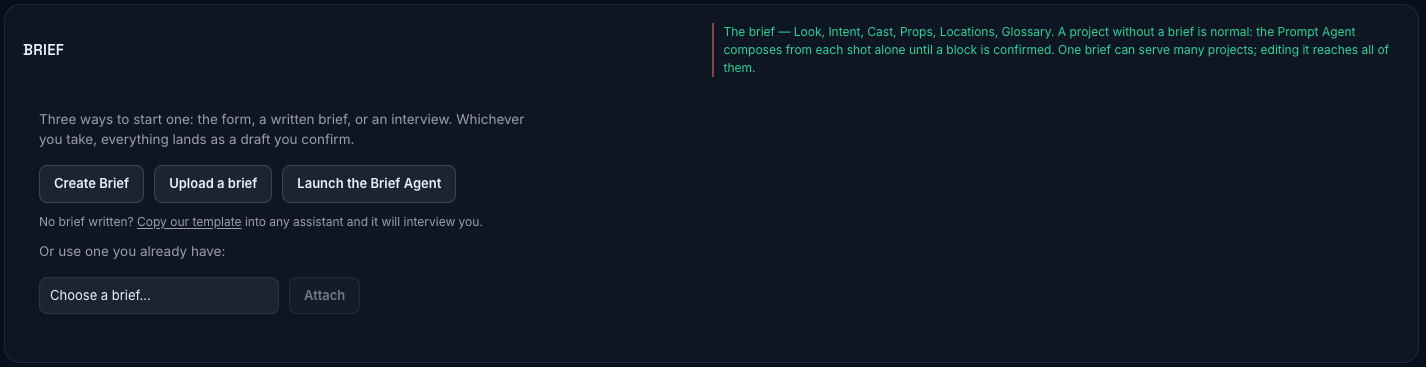
You can mix them freely. Upload a document, let it fill four blocks, then talk to the agent about the fifth, then fix a name by hand in the draft. Nothing minds.
The form
Section titled “The form”Type into the fields yourself, in a draft the parser or the agent has already produced. A fresh brief has no fields to type into: every block is drafted from the document on file, so paste or upload one first, or ask the agent. The form is for what happens next.
Good at: precision, and small edits. Every other path ends here anyway: what the document parser and the agent produce is a draft sitting in these same fields, waiting for you to read it. If you know exactly what a block should say, typing it is faster than asking for it.
Reach for it when: you are correcting something, adding one character to a cast of six, or the brief is short enough that describing it to something else is more work than writing it.
An uploaded document
Section titled “An uploaded document”Paste or upload a plain-text or Markdown file. Press Parse into every block. Five blocks are read out of it at once, each landing as its own draft.

Good at: volume. If you already have a written brief (a producer’s document, a treatment, a series bible), this is by far the fastest way in. A three-thousand-word document becomes five populated drafts in under a minute.
What it reads: Intent, Cast, Locations, Props and Glossary. Not the Look. The Look is chosen from a catalog rather than described in prose, so it stays yours to pick. If the document states a frame rate, a shutter or an aspect, those arrive on the Intent draft as a small Format row, and confirming Intent writes them to the Look’s Format, and nothing else in the Look moves.
Reach for it when: the writing already exists somewhere. It almost always does. When it does not (or what exists is a client document about deliverables rather than a description of the world), the brief template gets one written, by you or by any AI assistant interviewing you, in a shape the upload reads well. Its audience is people outside Lorvara; it is a page you can send them.
Worth knowing:
- Plain text and Markdown only. No PDF. Export or paste the text instead.
- Nothing leaves your browser until you press parse. The file is read locally.
- The five reads run in the background. Leave the page or stay; the drafts land either way, and a review strip at the top of the page counts what is waiting for you as they arrive.
- Each block is read separately, so one block failing does not take the others with it. Four land, one row shows an error, and you re-run it, or ask the agent for that one. There is no draft to type into until one of those lands.
- Re-uploading replaces each block’s draft rather than adding another. You never end up with a pile.
- It never writes a confirmed block. Five drafts appear; you read them.
The Brief Agent
Section titled “The Brief Agent”A conversation. It asks you about your production and turns the answers into drafts.
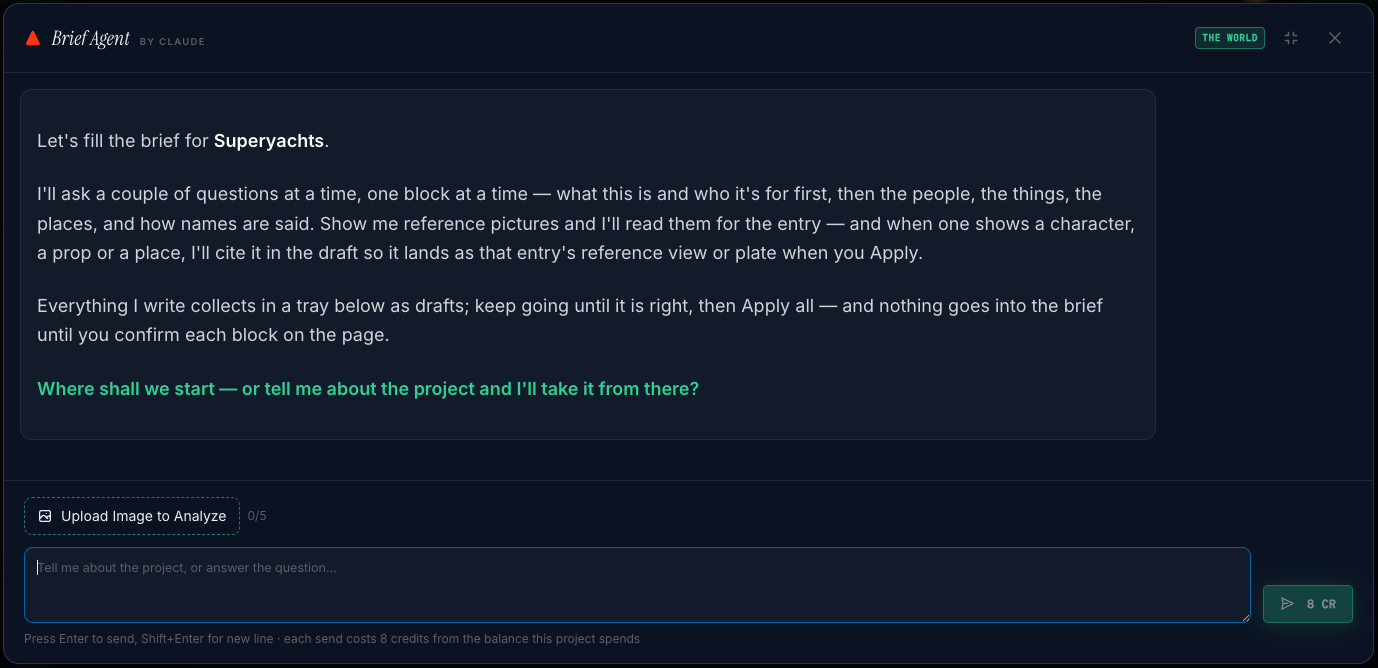
Good at: the parts you have not written down. Most productions have a document covering the plot and nothing covering what the harbour actually looks like, or how anybody sounds. The agent is good at prising that out, because it asks one or two questions at a time about one block at a time rather than handing you a form with forty empty fields.
It reads the brief before it starts, and its opening line says where the brief is (which blocks are confirmed, which have a draft waiting, which are empty), so it will not ask about what you have already settled. If a draft is waiting, it says so first and asks whether to continue from it rather than proposing over something you have not read.
In the Intent round it asks once, in plain words, about the frame rate and the shape of the picture (“24 frames like film, or 30? Vertical for phones, widescreen, or square?”) because those decide framing in every shot. It never asks about shutter angle; that is a specialist choice made on the Look block.
You can give it pictures. See Reference images.
Reach for it when: you are starting from a conversation rather than a document, or when a block is stubbornly empty and you cannot work out why. Also when you want a second opinion: it will tell you when your description of a place is not specific enough to be useful.
Worth knowing:
- It proposes; you apply. Everything it writes collects in a tray below the conversation as pending drafts. Keep talking until they are right, then Apply all. Nothing lands until you press it, and what lands is a draft on the page, not a confirmed block.
- When it has nothing left to draft it says so without being asked, with a short recap of what is drafted, what is still empty, and that the Look is yours to choose, rather than saying “done” over an empty block. The way out of the dialog is then See them on the page.
- It will not confirm anything, and it will say so if you ask. Its answer is right: it has no way to.
- It advises on the Look in prose, and it fills the Look in exactly one case: when you attach a reference picture to the Look block and ask it to propose from it. See Reference images.
- It leaves out what you did not tell it, rather than writing “not specified” into a field. If a character’s accent never came up, that character has no accent recorded, which is correct and different from having a blank one.
- The conversation itself is not kept. The drafts are.
Which to reach for
Section titled “Which to reach for”| You have | Start with |
|---|---|
| A written brief, treatment or bible from your LLM/doc | The document upload |
| A conversation, a mood, a client call in your head | The Brief Agent |
| A brief in your LLM that needs Lorvara’s formatting | The Brief .skill |
| Start from scratch | The Brief Agent. It can help you create one on the fly |
All three entry points land in the same drafts once input, and all three stop at the same place: you, reading what arrived, confirm the elements of the brief. That step is next: Drafts and confirming.